Custom Software · 8/26/2026 · Alfred
When Does a Case Need Its Own System Instead of a CRM?
A CRM stores contacts and pipeline. A case is a record with history, status, documents, and decisions. Here is how operators know when those should not live in the same tool.
- What actually counts as a case?
- Why does a CRM keep failing at this work?
- What should live on the case record?
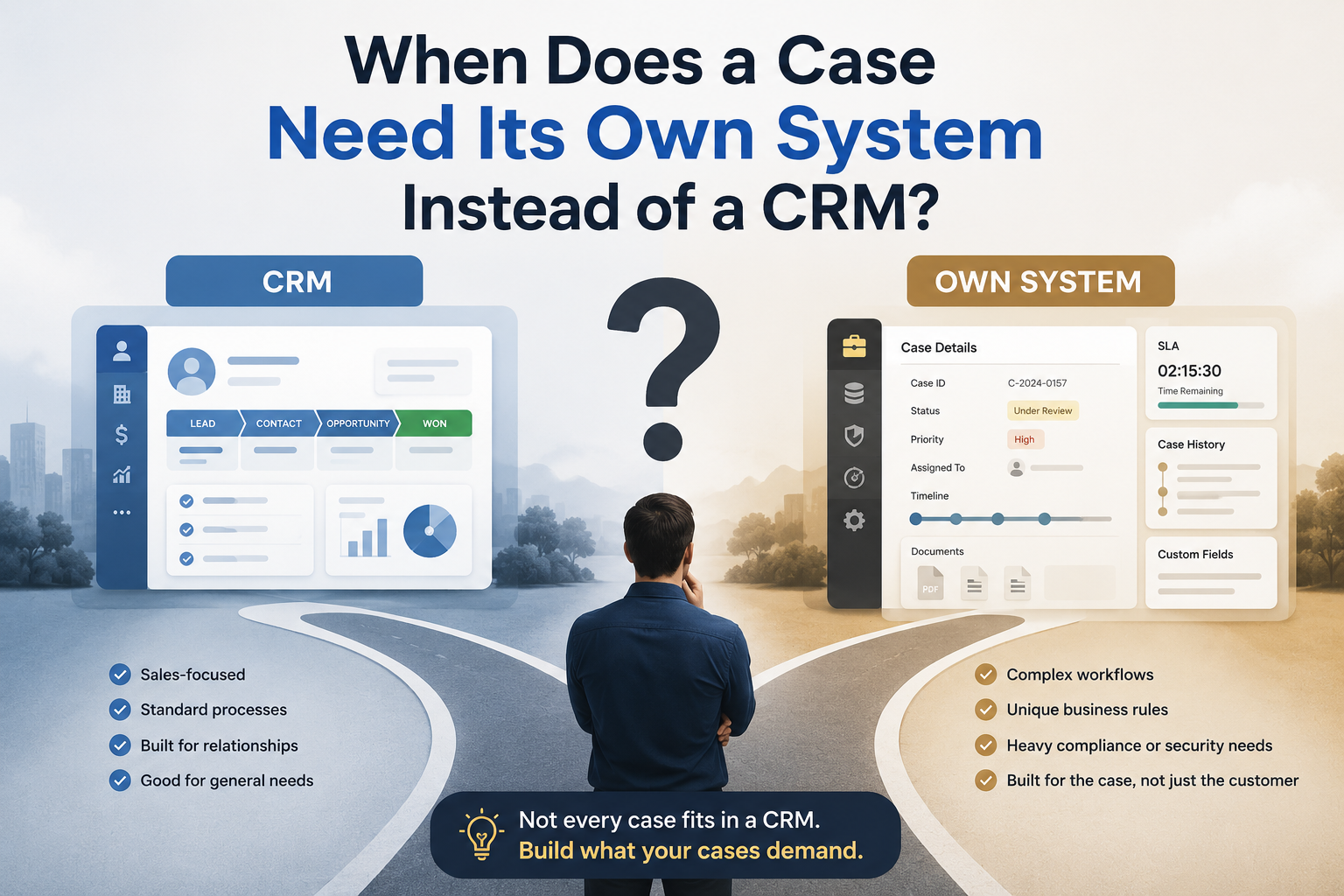
A case is not a contact, and it is not a file. It is a unit of work with a lifecycle: an owner, a status, a history, the people who need to act, the documents that belong to it, and the decisions already made. A CRM is built around accounts and pipeline. A shared drive is built around files. Email is built around messages. None of those three is a case record.
You need a case management system when each item involves multiple people, documents, status changes, or decisions, and you cannot reconstruct the current state without asking around. That is the line Pro Logica uses on this work: existing tools do not support the actual lifecycle of the case being managed. The fix is not another folder, another pipeline stage, or a better search bar. The fix is one record that can carry the work.
What actually counts as a case?
In operations, a case is the thing your team has to finish, not the person it is attached to.
It might be a client matter, a claim, a service exception, a vendor issue, an intake that still needs review, or a piece of work that has to move through several roles before it is closed. The label changes by industry. The shape does not. One item. Several people. Documents and notes that only make sense together. Status that has to be true. A next step that someone owns.
If the work can live as a single contact field and a calendar reminder, it is not a case problem. If finishing it requires history, stakeholders, review steps, and a defensible trail of what happened, it is.
Professional services principals hit this when a matter is more than a client name in the CRM. Operations-heavy teams hit it when an exception, a claim, or a request still has to be hunted across inboxes and folders. The site's enterprise systems work sits in that gap: process, data ownership, access control, and the way the business actually runs.
Why does a CRM keep failing at this work?
Because a CRM is doing a different job.
Custom CRM development is the right conversation when sales, relationship, or account workflows do not fit a standard product. Contacts, accounts, pipeline, follow-up, and revenue reporting belong there. That is also what the existing CRM posts on this site are about: when a business has outgrown off-the-shelf CRM, and the signs the current CRM is the bottleneck.
Case work fails in a CRM for a simpler reason. The object is wrong.
A deal wants a stage and a close date. A case wants a lifecycle, attachments, notes, role-specific access, and a history that still makes sense six months later. Teams try to fake that with custom fields, random tasks, and a shared drive linked in a note. Then the real conversation happens in email. The CRM looks complete. The case is not.
Shadow spreadsheets show up here too, but they are a symptom. People keep a side list because the CRM cannot tell them, for this item, who owns it, what is attached, what was already decided, and what is allowed to happen next.
Do not replace a usable CRM to fix this. Keep the CRM for relationships and pipeline. Give the case its own record, and connect the two if the same client is on both.
What should live on the case record?
Pro Logica's case management work is specific about what the system has to hold. Paraphrased from that service page, a usable case record needs:
- A structured view of the record, with history, ownership, notes, and attached files
- A lifecycle that matches how the work actually moves, including review steps
- Permission controls, activity logs, and a way to search across cases
- Reporting on volume, status mix, and throughput — not a vanity dashboard
That is different from storing PDFs in a folder. Document management is the right layer when files need lifecycle control, permissions, version history, and audit-friendly handling. It becomes part of case work when the document is not the job. The job is the case, and the file is evidence, input, or output.
Document automation is a further step: intake, generation, validation, and routing when the same document motion keeps repeating. It is not a substitute for the case record. If you automate generation into a void, you still cannot answer who owns the item or whether it is closed.
Email can still deliver the file. The record owns the job. That is the same distinction as the earlier post on why quotes, BOMs, and submittals should not live in the same inbox. That piece is about mixed document types sharing one mailbox. This one is about the case as the unit of work once the mail, the file, and the client already exist.
How do you know the current setup is no longer safe?
You do not need a scoring model. You need a few operational tests.
Can someone new pick up a live case and see the current state without Slack, email, or a hallway question? If not, history is fragmented.
Can you say, for every open item, who owns it and what the next action is? If ownership is "the team," the work will sit.
Can you reconstruct an approval later, including who signed off and on which version? If that answer lives in a thread, you do not have auditability. Audit-heavy teams already feel this as a compliance problem; the compliance workflow post is the sibling view. Case management is broader. It is the same failure — hidden process, scattered evidence, status that exists only in someone's head — applied to any record that has to move through people and decisions.
Do managers keep acting as the search engine? That is not leadership. That is the system failing in public.
Do two tools disagree about status? Then neither is the system of record. People will trust the one they used last, which is how you close the wrong item and leave the real one open.
When those tests fail, adding another shared mailbox or another CRM stage does not make the case safer. It adds another place to look.
Is this a portal, a document system, or a workflow tool?
Those are adjacent, not interchangeable.
A client portal is a controlled interface so staff are not forced into manual status updates. Useful. It is not the case. If the portal shows a status that does not come from a real record, you have a nicer view of a still-broken process.
A document system holds files with permissions and versions. Needed when documents are central to the work. Still not the case. The case is why the file exists and what happens after someone reads it.
A workflow management system enforces process: routing, assignments, status transitions, queues, escalation when work stalls. That is often the engine under case handling. Workflow without a case record is a set of tasks with no home. A case record without workflow is a filing cabinet with a status field nobody trusts.
The useful design question is not "which product category do we buy." It is "what is the object the business has to see, assign, and close." If that object is a case, start there. Attach documents. Route the lifecycle. Expose status to a portal later if clients need to see it. Do not start with the interface and hope the record appears.
When is a dedicated case system the wrong move?
It is the wrong move when you do not yet know what a case is.
If two people on the same team would draw different lifecycles on a whiteboard, software will automate the argument. Write the states, the owners, and the exceptions first. Discovery before build is how this work is scoped on the service page: workflow reality, integrations, users, and failure modes, not a generic requirements dump.
It is also the wrong move when the pain is really CRM fit, dispatch, or a mixed inbox. Those already have their own posts and services. Forcing every operational mess into "case management" is how you buy a new label and keep the same scavenger hunt.
A full custom system is later than most teams think. A spreadsheet with one row per case, one owner, one status, and a next action will tell you whether the model is true. When several people must touch the same record, when permissions and history matter, and when the sheet is no longer trusted, that is when case management software is the actual job.
The outcome to aim for is boring and operational: reliable handling of complex records, visibility into status and workload, less risk from history split across tools, and a process you can still control as volume grows. That is what the service page claims. It is not a promise of faster close times or fewer hires. It is a system your team can run.
If this is the workflow you are looking at, the next step is a practical conversation about the case lifecycle, the systems around it, and the failure modes — not a generic intake form. Book a call, or start from case management software development and we can talk through fit.
Let's Talk
Talk through the next move with Pro Logica.
We help teams turn complex delivery, automation, and platform work into a clear execution plan.

Alfred leads Pro Logica AI’s production systems practice, advising teams on automation, reliability, and AI operations. He specializes in turning experimental models into monitored, resilient systems that ship on schedule and stay reliable at scale.